
Docs Layout
The layout of documentation
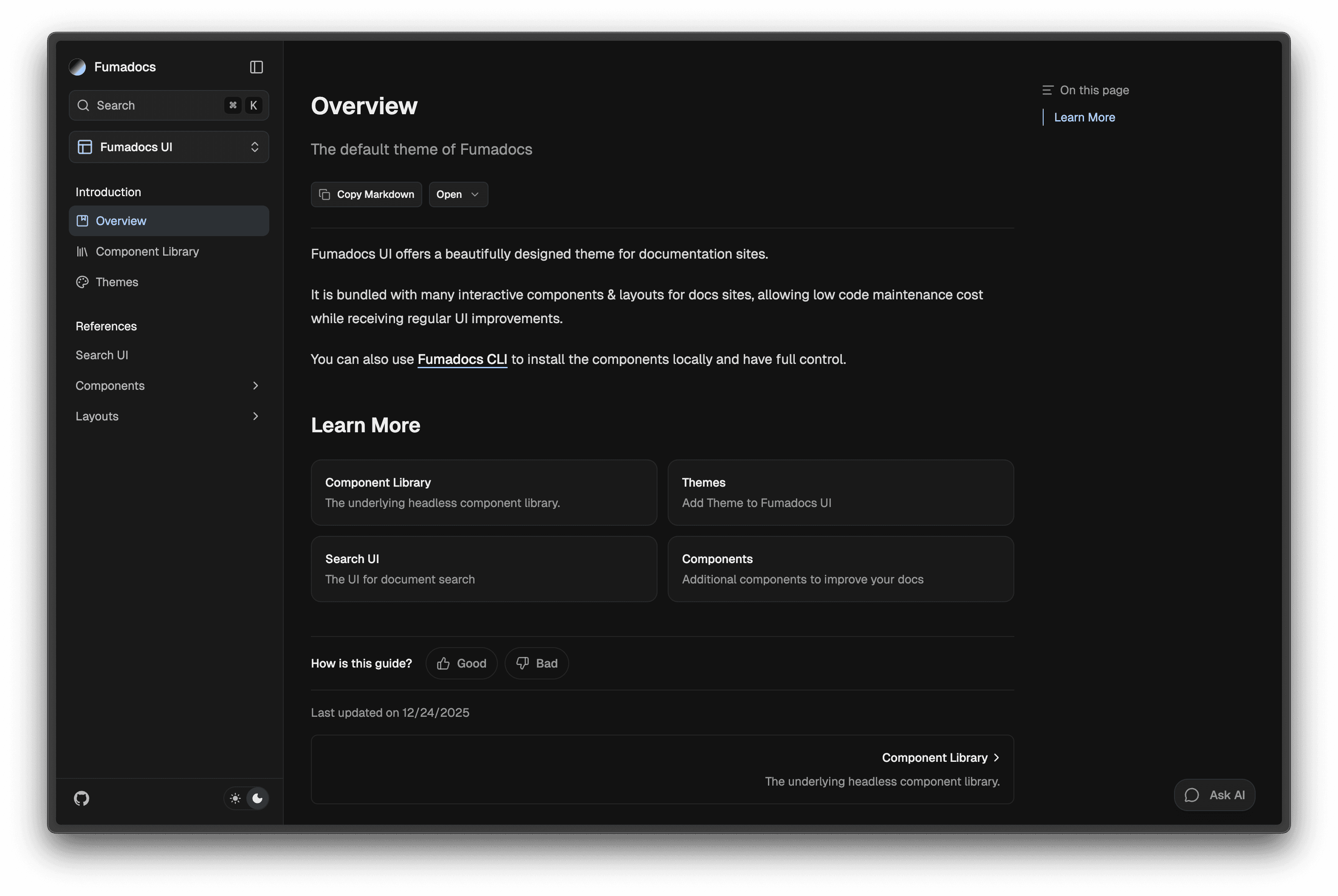
The layout of documentation pages, it includes a sidebar and mobile-only navbar/header.
Install via Fumadocs CLI
For advanced customization that supported options cannot suffice.
npx @fumadocs/cli@latest customizeUsage
Pass your page tree to the component.
import { DocsLayout } from 'fumadocs-ui/layouts/docs';
import { baseOptions } from '@/lib/layout.shared';
import type { ReactNode } from 'react';

export default function Layout({ children }: { children: ReactNode }) {
  return (
    <DocsLayout {...baseOptions()} tree={tree}>
      {children}
    </DocsLayout>
  );
}
See detailed docs for links and nav options.
References
Prop
Type
Sidebar
import { DocsLayout } from 'fumadocs-ui/layouts/docs';

<DocsLayout
  sidebar={{
    enabled: true,
  }}
/>;
Sidebar Items
Customize sidebar navigation links.
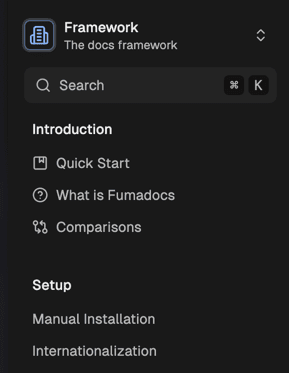
Sidebar items are rendered from the page tree you passed to <DocsLayout />.
For page tree from loader(), it generates the tree from your file structure, see available patterns.
import { DocsLayout } from 'fumadocs-ui/layouts/docs';
import { source } from '@/lib/source';
import type { ReactNode } from 'react';

export default function Layout({ children }: { children: ReactNode }) {
  return (
    <DocsLayout
      tree={source.getPageTree()}
      // other props
    >
      {children}
    </DocsLayout>
  );
}
You may hardcode it too:
import { DocsLayout } from 'fumadocs-ui/layouts/docs';
import type { ReactNode } from 'react';

export default function Layout({ children }: { children: ReactNode }) {
  return (
    <DocsLayout
      tree={{
        name: 'docs',
        children: [],
      }}
      // other props
    >
      {children}
    </DocsLayout>
  );
}
Layout Tabs (Dropdown)
Layout Tabs are folders with tab-like behaviours, only the content of opened tab will be visible.
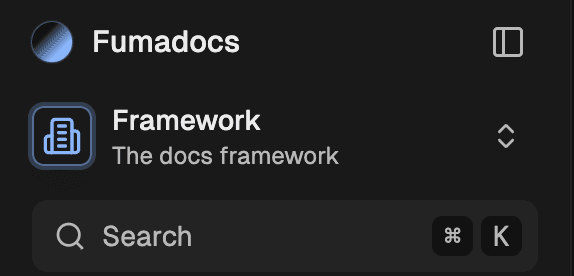
By default, the tab trigger will be displayed as a Dropdown component (hidden unless one of its items is active).
You can add items by marking folders as Root Folders, create a meta.json file in the folder:
{
  "title": "Name of Folder",
  "description": "The description of root folder (optional)",
  "root": true
}
Or specify them explicitly:
import { DocsLayout } from 'fumadocs-ui/layouts/docs';

<DocsLayout
  tabs={[
    {
      title: 'Components',
      description: 'Hello World!',
      // active for `/docs/components` and sub routes like `/docs/components/button`
      url: '/docs/components',

      // optionally, you can specify a set of urls which activates the item
      // urls: new Set(['/docs/test', '/docs/components']),
    },
  ]}
/>;
Set it to false to disable:
import { DocsLayout } from 'fumadocs-ui/layouts/docs';

<DocsLayout tabs={false} />;
Want further customizations?
You can specify a banner to the Docs Layout component.
import { DocsLayout, type DocsLayoutProps } from 'fumadocs-ui/layouts/docs';
import type { ReactNode } from 'react';
import { baseOptions } from '@/lib/layout.shared';
import { source } from '@/lib/source';

export default function Layout({ children }: { children: ReactNode }) {
  return (
    <DocsLayout
      {...baseOptions()}
      tree={source.getPageTree()}
      sidebar={{
        banner: <div>Hello World</div>,
      }}
    >
      {children}
    </DocsLayout>
  );
}
Decoration
Change the icon/styles of layout tabs.
import { DocsLayout } from 'fumadocs-ui/layouts/docs';

<DocsLayout
  tabs={{
    transform: (option, node) => ({
      ...option,
      icon: <MyIcon />,
    }),
  }}
/>;
Sidebar Components
You can replace certain components for rendering page tree.
import { DocsLayout } from 'fumadocs-ui/layouts/docs';
import { SidebarSeparator } from './layout.client';

<DocsLayout
  sidebar={{
    enabled: true,
    components: {
      Separator: SidebarSeparator,
    },
  }}
/>;
References
Prop
Type
Advanced
Prefetching
Fumadocs use the <Link /> component of your React framework, and keep their default prefetch behaviours.
On Vercel, prefetch requests may cause a higher usage of serverless functions and Data Cache. It can also hit the limits of some other hosting platforms.
You can disable prefetching to reduce the amount of prefetch requests, or enable explicitly:
import { DocsLayout } from 'fumadocs-ui/layouts/docs';

<DocsLayout sidebar={{ prefetch: false }} />;
The Layout System
Handling layout is challenging, Fumadocs UI needed an approach that is:
- Composable: Layout components should manage their position and size effortlessly, ideally in place.
- Flexible: The system should avoid reliance on fixed values or heights, enabling seamless integration of external components, such as AI chat interfaces.
- Cohesive: Components should respond to changes in others, for instance, by animating sidebar collapses.
- Predictable: Layout properties should remain centralized, allowing the final result to be readily anticipated from the source code.
- Compatible: The solution should work on older browsers by leveraging only Baseline Widely Available CSS features.
Fumadocs UI does this with a grid system:
#nd-docs-layout {
  grid-template:
    'sidebar header toc'
    'sidebar toc-popover toc'
    'sidebar main toc' 1fr / minmax(var(--fd-sidebar-col), 1fr) minmax(0, var(--fd-page-col))
    minmax(min-content, 1fr);

  --fd-docs-row-1: var(--fd-banner-height, 0px);
  --fd-docs-row-2: calc(var(--fd-docs-row-1) + var(--fd-header-height));
  --fd-docs-row-3: calc(var(--fd-docs-row-2) + var(--fd-toc-popover-height));
  --fd-sidebar-col: var(--fd-sidebar-width);
  --fd-page-col: calc(
    var(--fd-layout-width, 97rem) - var(--fd-sidebar-width) - var(--fd-toc-width)
  );
  --fd-sidebar-width: 0px;
  --fd-toc-width: 0px;

  --fd-header-height: 0px;
  --fd-toc-popover-height: 0px;
}- The layout container uses grid layout,
grid-templateis set to produce predictable result. --fd-docs-row-*define the top offset of each row, allowing elements withposition: stickyto hook a correct top offset.--fd-*-widthand--fd-*-heightare set by layout components using CSS, they are essential to maintain the grid structure, or calculating--fd-docs-row-*.--fd-*-colare dynamic values, updated as state changes (e.g.--fd-sidebar-colbecomes0pxwhen the sidebar is collapsed).
Both default and the notebook layout utilize this system.
How is this guide?
Last updated on